Project Case
CourseSnap
An AI learning-material workflow that turns scattered course screenshots, PDFs, and transcripts into structured study notes.
Role
Product definition / MVP design / Prototype design / AI workflow design / Product trade-off
Stage
Runnable MVP / AI product case
Key Outcome
Built a working MVP in about 10 hours, covering auto screenshot capture, PDF generation, transcript detection, and AI-assisted study-note generation.
Background
CourseSnap started from a small but very real learning workflow: when students watch online courses, replayed meetings, or remote lectures, the full slide deck is often unavailable. They can only take screenshots manually, then spend extra time sorting scattered images into something they can actually review.
Problem
The product problem was not simply image capture. The real issue was input quality: screenshots are easy to miss, OCR is unstable on slides, transcripts are separated from visual context, and AI summaries become weak when the upstream materials are incomplete or poorly structured.
Approach
I narrowed the MVP into a clear workflow: detect slide changes, save new screenshots, merge screenshots into a PDF, detect transcript files in the project folder, and use an OpenAI-compatible API call to generate structured study notes. I also packaged the tool for Windows so the PDF workflow could work even when users do not use AI.
Decision Logic
Why I moved away from OCR
The early idea was screenshot to OCR to text to AI summary. In practice, OCR was fragile on slide screenshots and could lose layout, order, and visual context. Keeping the original slides as a PDF made the input more reliable.
Why PDF + transcript became the core input
The PDF preserves the visual structure of the course, while the transcript adds semantic detail. Together they create a higher-quality input for review and AI summarization than OCR text alone.
Why the API key is provided by the user
Embedding a personal API key would create security and maintenance risks. Letting users provide their own key keeps distribution safer and makes the AI layer easier to replace or extend.
Why AI is an enhancement, not the entry barrier
The product still delivers value as an auto-capture and PDF-generation tool. AI improves the workflow, but users can still organize and review materials without model access.
PRD Summary
| Feature | User Pain Point | Product Solution | Priority |
|---|---|---|---|
| Auto Capture | Manual screenshots are inefficient | Detect page changes and save screenshots automatically | P0 |
| PDF Merge | Scattered images are hard to review | Merge screenshots into an ordered PDF | P0 |
| Transcript Check | AI summary lacks context | Detect whether TXT/DOCX transcript files exist | P1 |
| AI Summary | Organizing study materials is time-consuming | Generate structured study notes | P1 |
| OCR | Recognition is unstable on slide screenshots | Keep it outside the core workflow for now | P2 / Deferred |
User Flow
Start recording
Detect page changes
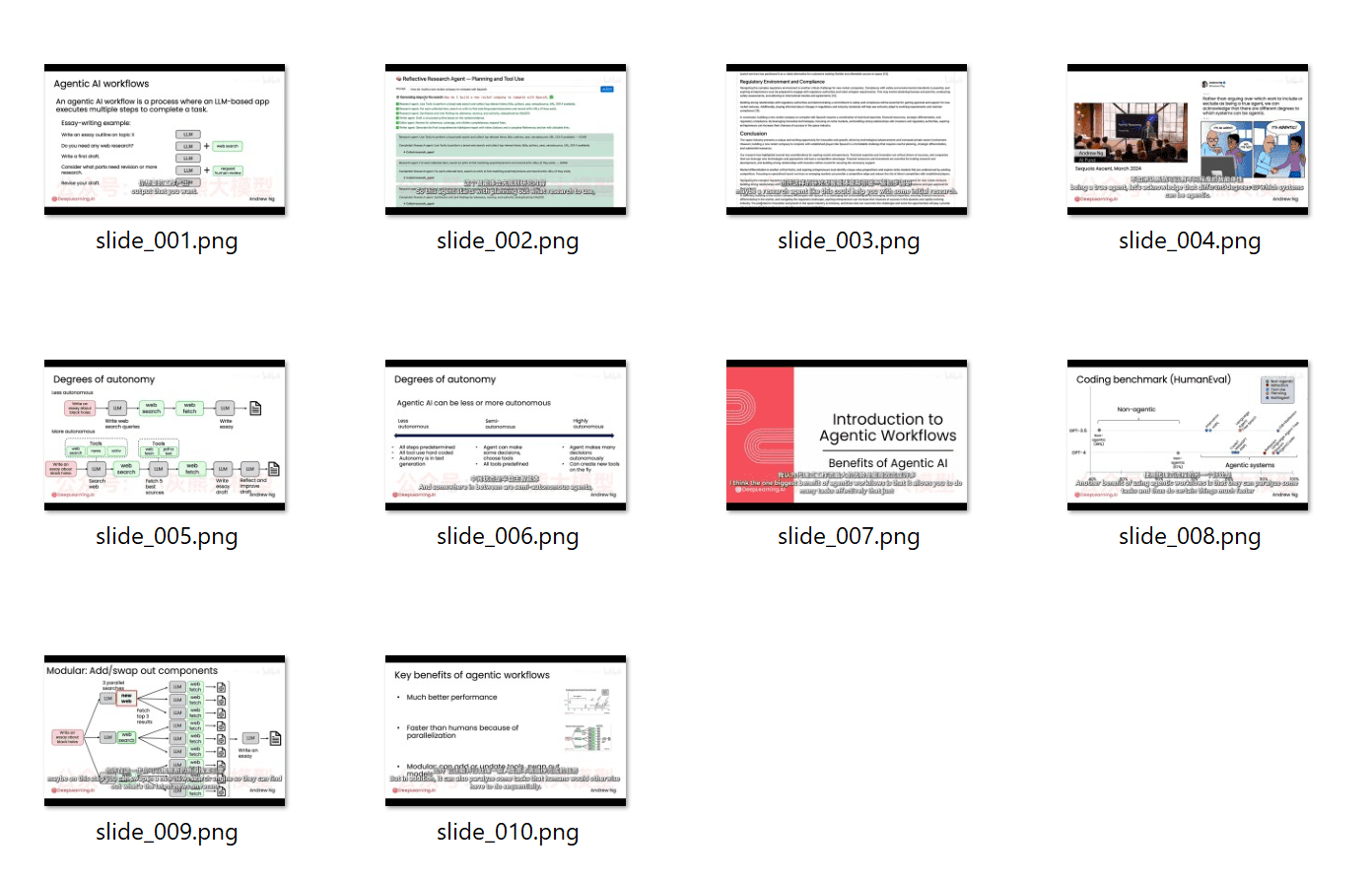
Auto-save screenshots
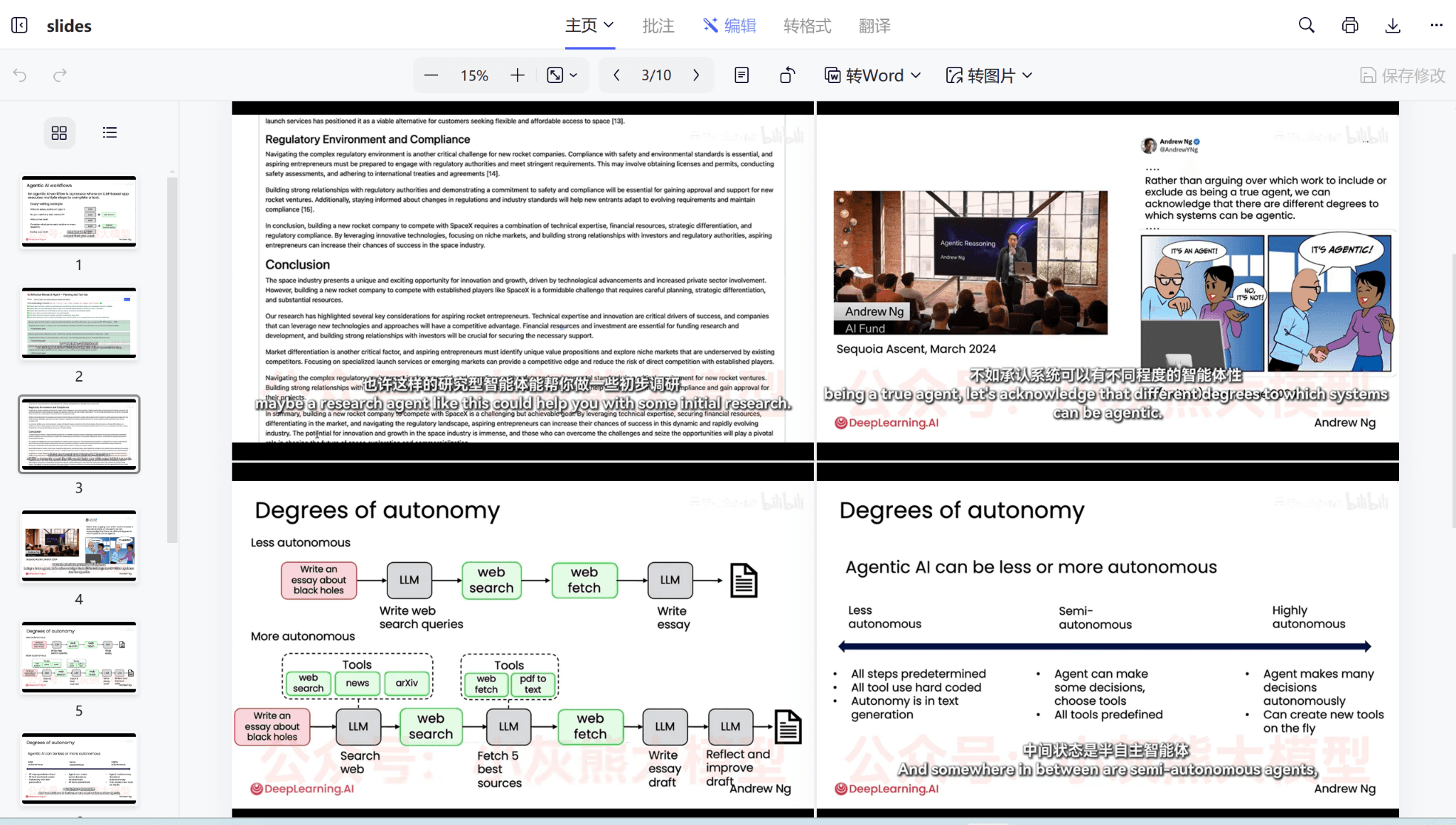
Generate PDF
Detect transcript
AI summary
Export study notes
Core Wireframe Prototype
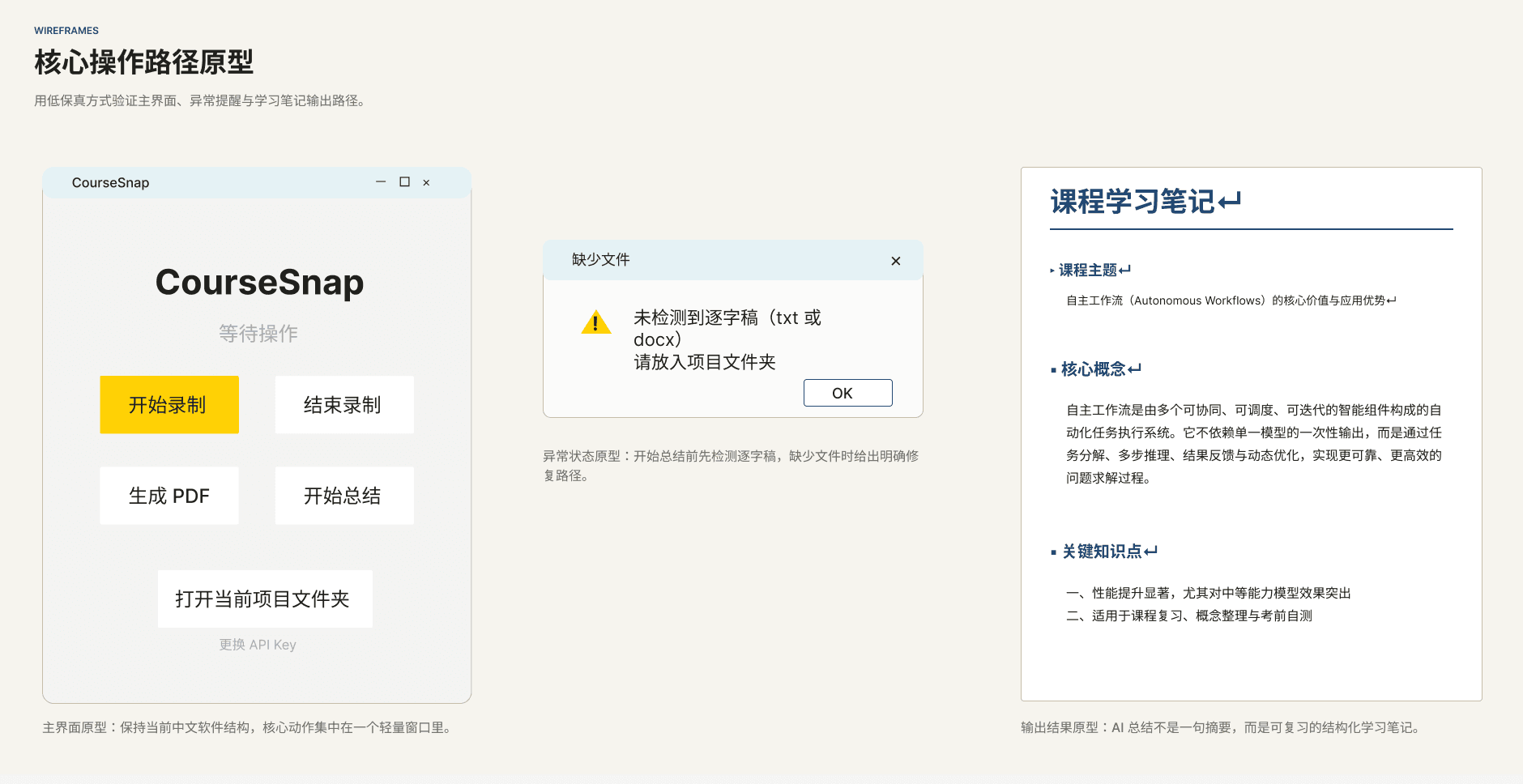
原型图
低保真 Figma 原型
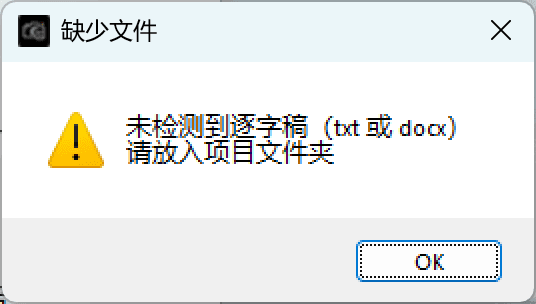
我用低保真原型先梳理主界面布局、按钮位置和关键弹窗,验证用户能否顺利从“开始录制”走到“AI 总结”。
交互重点
状态与异常先行
我优先设计录制中、缺少逐字稿、输出完成等关键状态,确保用户在每一步都知道下一步该做什么。
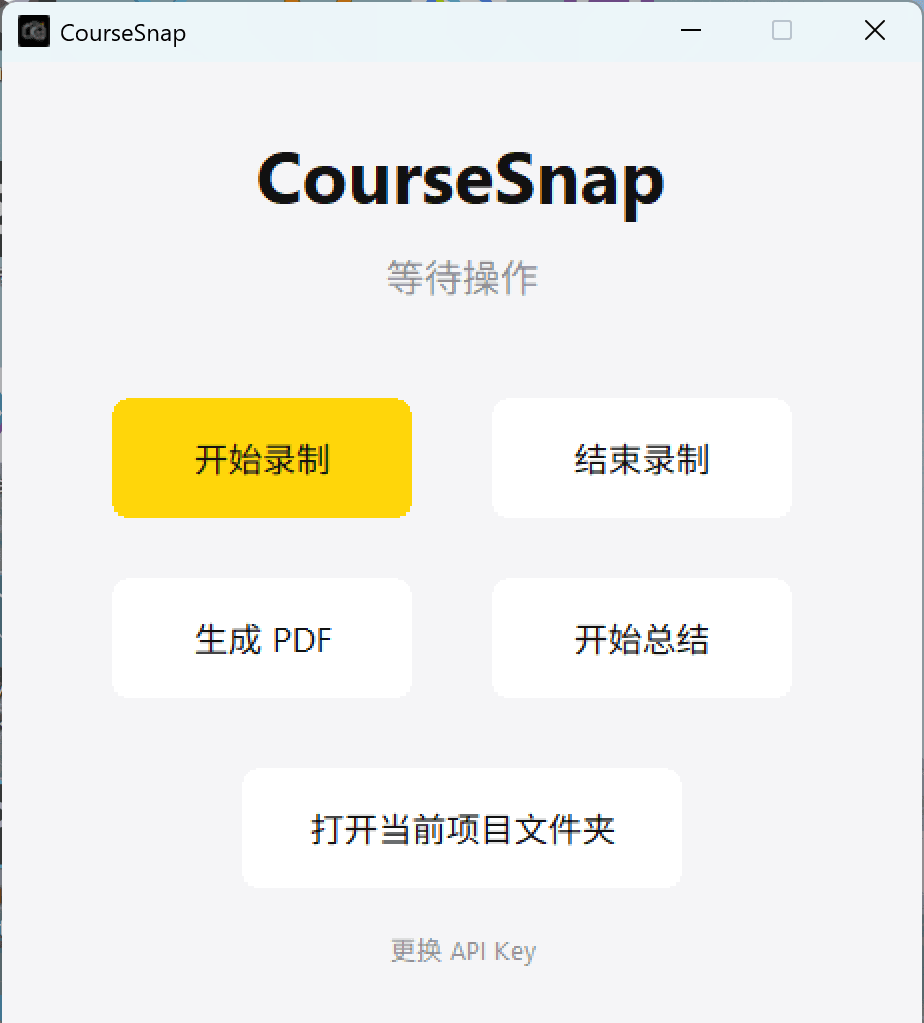
Product Interface & Real Outputs
Outcome
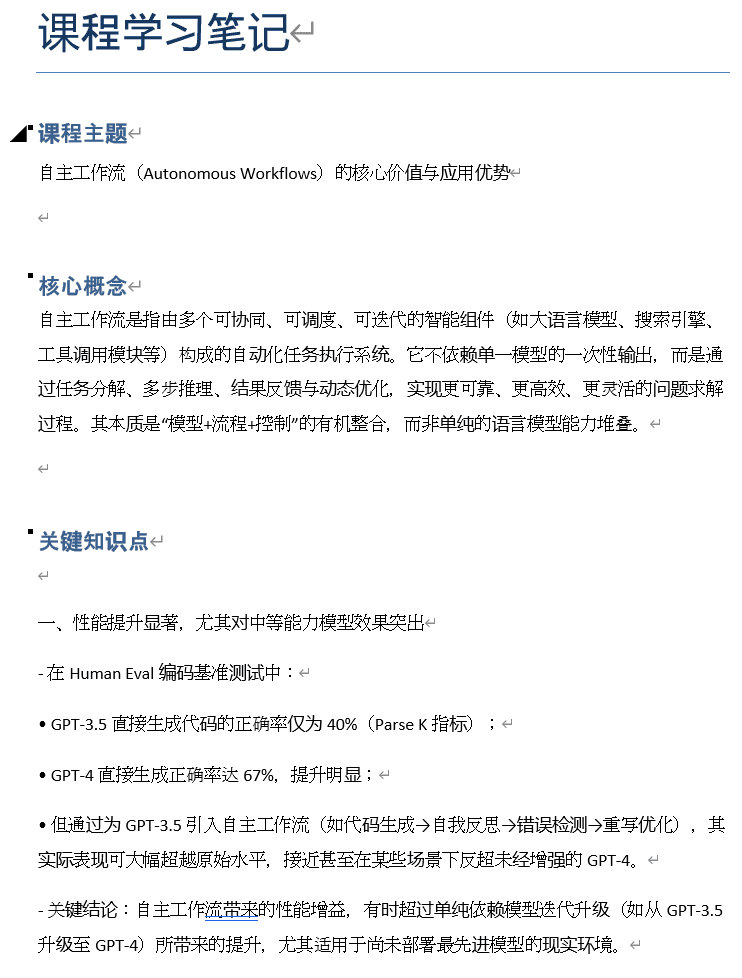
CourseSnap became an end-to-end learning-material MVP: course content capture, PDF organization, transcript pairing, and AI-assisted note generation. The case shows my ability to identify a concrete user pain point, scope an MVP, make product trade-offs, and embed AI into a real workflow instead of treating AI as a standalone feature.
Reflection
This project clarified a product principle I would bring into AI product roles: model capability matters, but the user experience often depends more on input quality, workflow design, privacy expectations, and fallback value when AI is unavailable.
Next Iteration Plan
01
Auto-capture optimization
For videos with subtitles, subtitle updates can trigger extra screenshots even when the main slide content has not changed. Next, I plan to refine the capture logic so it screenshots only when key page content changes, while still preserving useful subtitle information. This should reduce redundant screenshots and improve review efficiency.
02
AI-summary flexibility
At the moment, the AI-summary flow is limited when the user does not provide a transcript. Next, I want the tool to warn users that adding a transcript will improve summary quality, but still allow them to continue generating study notes from the PPT/PDF alone. This keeps user control while improving feature availability.
Continue Browsing